



More and more allied health practices are using AI to spend less time on documentation and more time with clients. This page has everything your practice needs to get set up and start using splose AI well.
From handling consent to getting your team confident with the technology from day one, everything here is ready to use. You don't need to do it all in one sitting, and you don't need to be an AI expert.
Here’s everything you need for patient consent, ready to use
Patients can withdraw consent at any time, and their care isn't affected either way. splose reminds practitioners to ask for patient consent before every AI session. For most practices, that's all you might need. But if your practice wants additional materials to support capturing patient consent, here are some resources to help.
Patient consent form for AI
A ready-to-print form you can hand to patients before or at their first appointment. It covers what AI is used for in sessions, how their data is handled, and their right to withdraw consent at any time.
Intake form snippet
If your practice already uses intake forms, you can fold consent into them by adding the snippet below to the form itself.
"This practice uses AI-assisted note-taking to support clinical documentation. Your consent will be requested before use. Please contact your practitioner if you do not agree to such use."
A collection of splose AI prompts for your discipline
Knowing what to type is half the battle. These prompts take the guesswork out of it. They’re written specifically for the documentation that matters most to each discipline, so your team has a strong starting point from day one.
Use them as they are, or tweak them to better suit how your practice works. Once they're saved to your workspace's Saved Prompts library, your whole team can have them ready to go every session. And we're adding even more disciplines to this list very soon!
Download the file for your discipline below:
Share the AI Masterclass with your team
This can be a great place to begin for the team to get familiar with splose AI, or just AI in general. One video, and your whole team gets to see what using AI in splose actually looks like in real clinical workflows. Not just looking at what each feature does, but why it matters and how it fits into every session.
The workflow is straightforward: get caught up on a patient before they walk in the door, record the session or dictate your notes after, then use AI to get near-ready drafts of your documentation. Seeing it all in context of real clinical work before anyone is in a live session trying to work it out on the fly, makes a big difference to how quickly your team gets going.
The masterclass also covers prompting, which makes a real difference for practitioners who are still building their confidence with the technology.
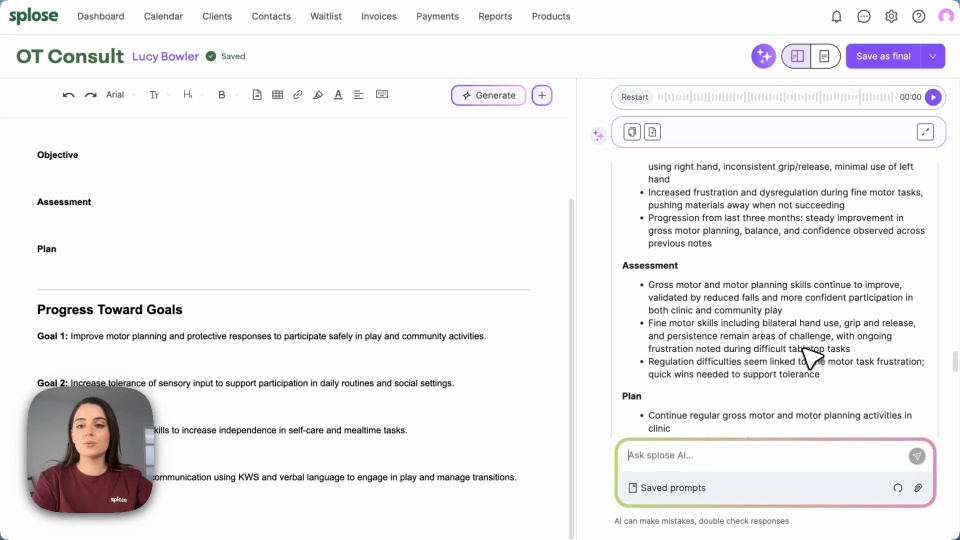
Step-by-step guides for your team
Once your team has watched the masterclass, these guides walk through the individual features in more detail. Short, task-specific, and easy to share.
Here are some YouTube links to share with your team:
They might also find these splose help articles useful:
Security and privacy questions, answered
When you introduce AI to your team, questions about data and security follow. This one-pager gives straightforward answers in plain language and is something you can share with your team, a compliance officer, or anyone who wants to understand how splose AI handles data. It covers topics such as:
- Your patients' data is not retained and is never used to train AI models.
- Data is stored in Australia via AWS and handled in line with the Privacy Act 1988 and the Australian Privacy Principles.
- Everything is encrypted in transit and at rest, and goes through regular compliance audits.
- AI is opt-in. You're in control of when it's used in each session.


